# Ludarium
Your game archive, searchable and accountable.
Interface · Features · Quick start · Architecture
**A local-first, self-hosted catalog for game archives.** Ludarium turns read-only folders of ROMs,
disc images and archived Windows installers into a searchable library with provenance, integrity
evidence and an explicit review queue. It is built for Unraid, but the supplied Compose deployment
also works on a regular Docker host.
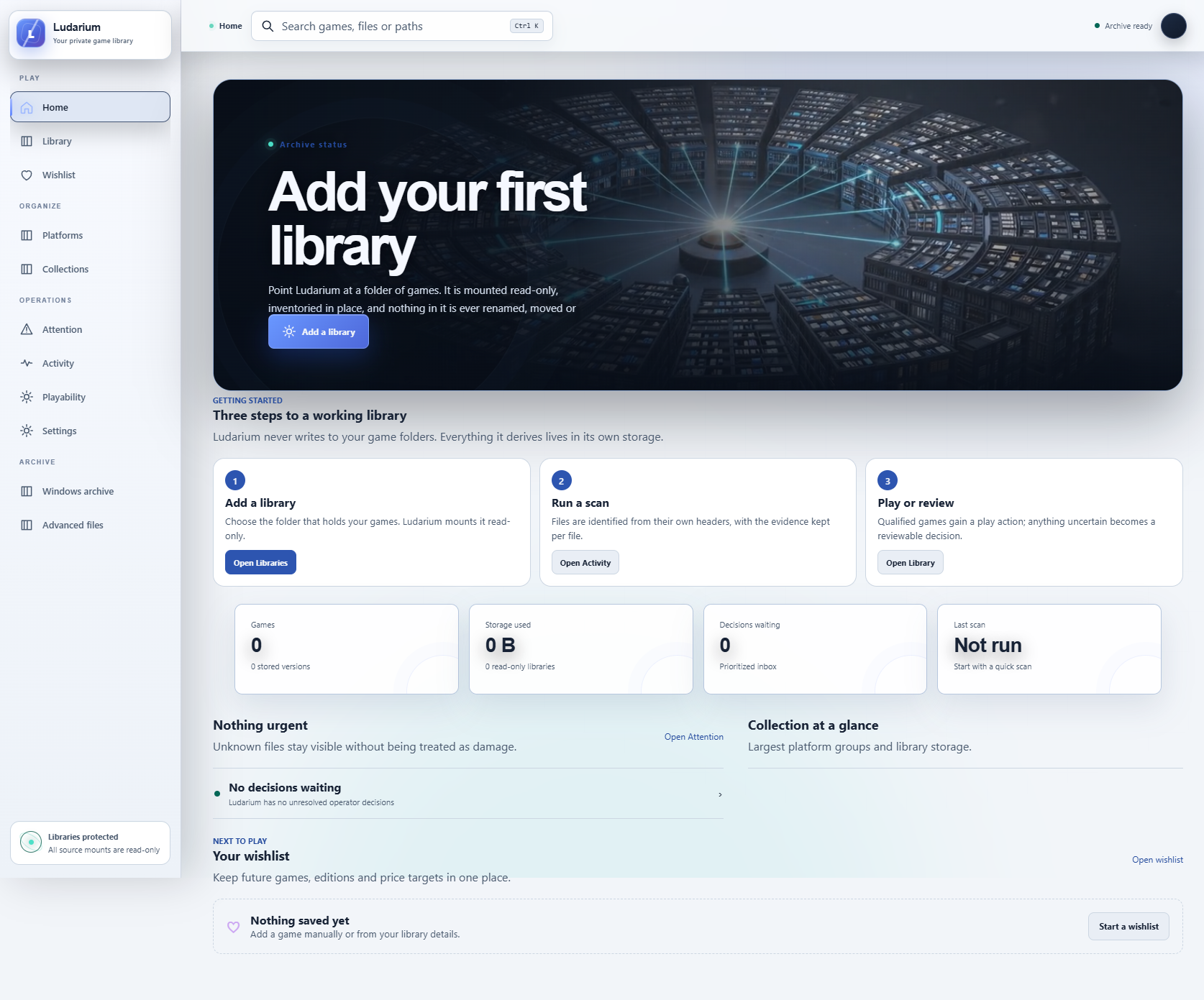
## Explore the interface
These captures show a deliberately empty, privacy-safe example archive. Your own files and metadata appear only after you add read-only library mounts and scan them.
| Searchable library | Review queue |
| --- | --- |
| 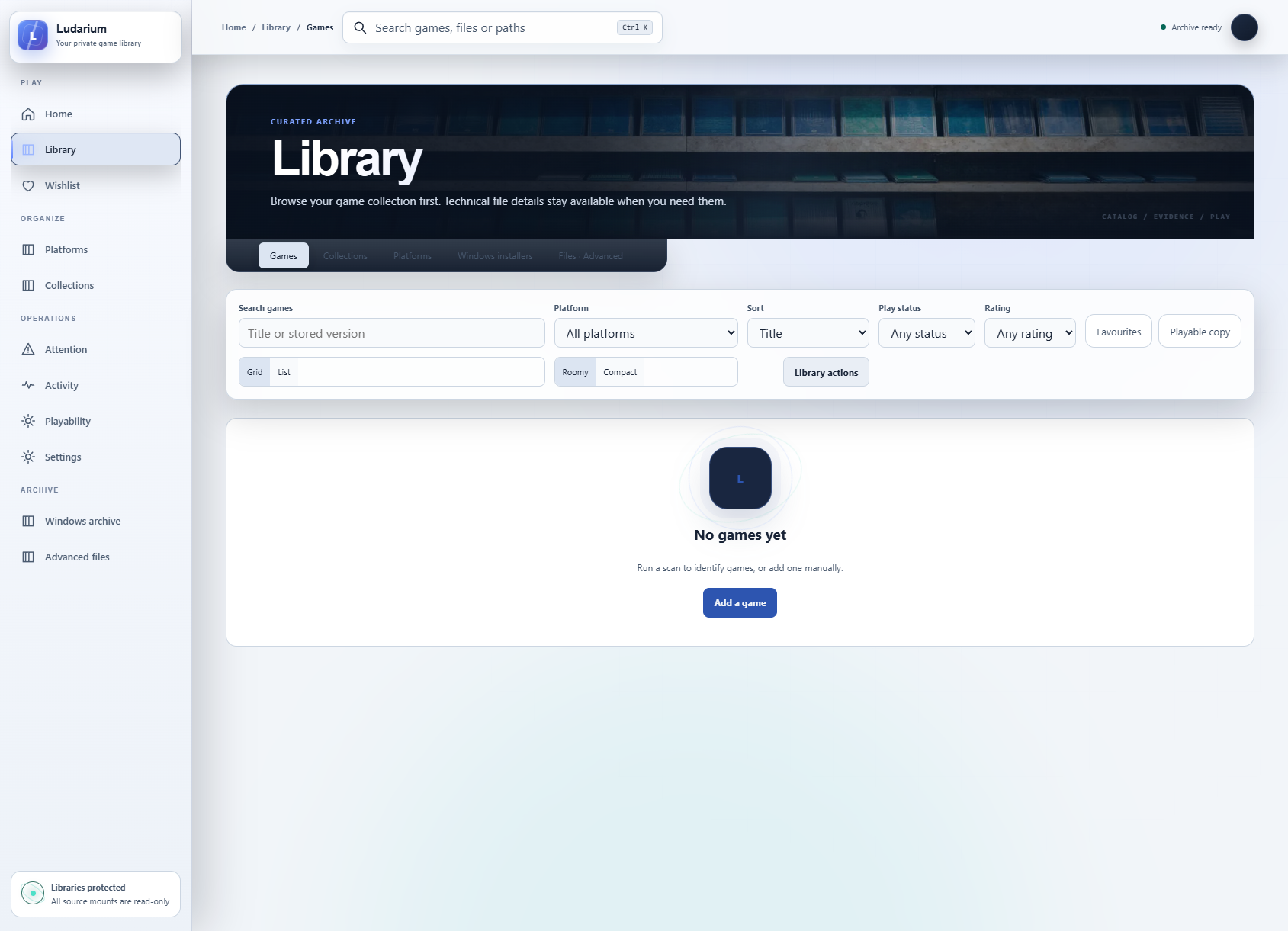 | 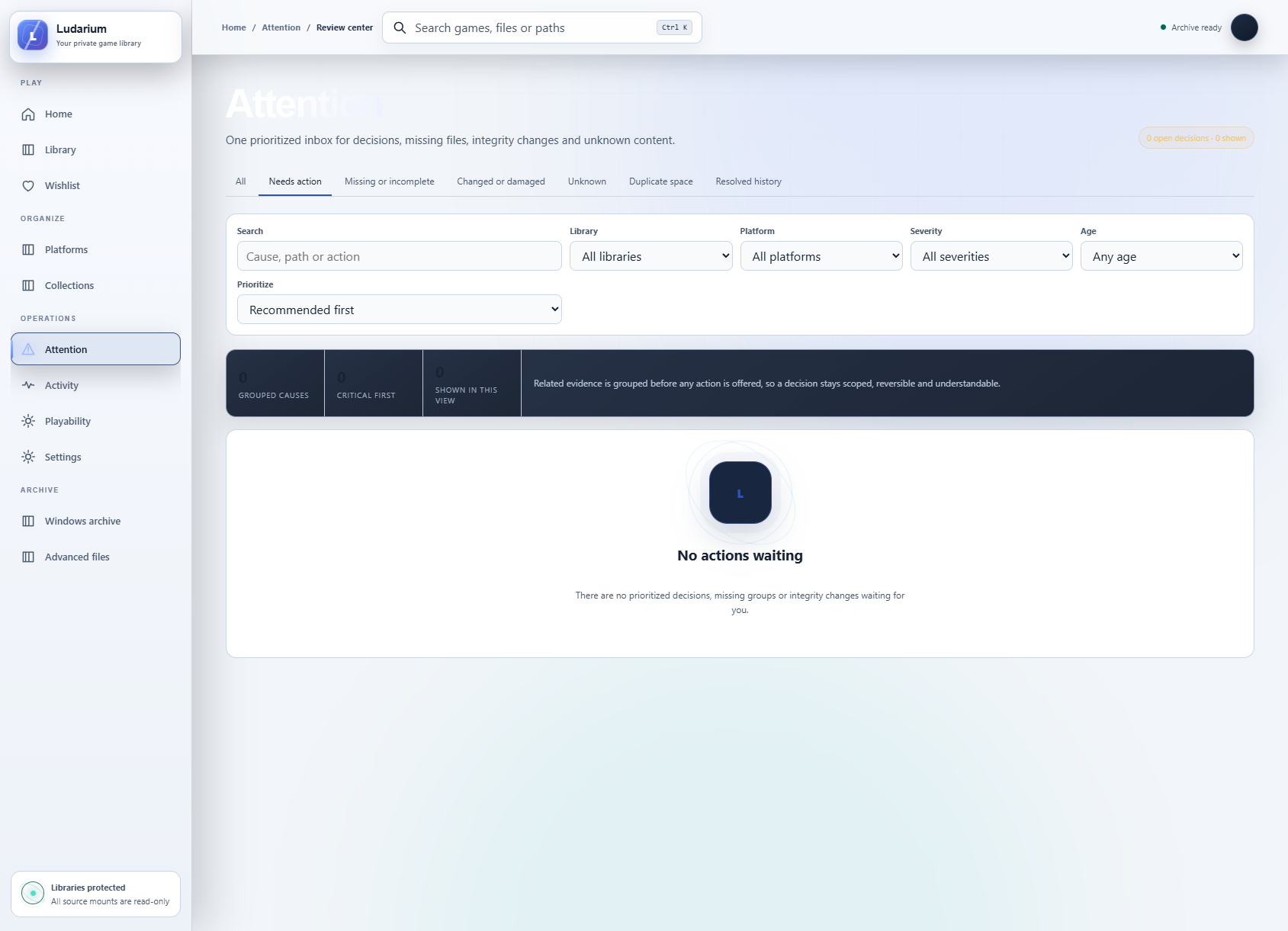 |
## What you can do
- discover and fingerprint files without renaming, moving or executing them;
- group multi-file games, discs, installers, patches and DLC into useful catalog entries;
- review uncertain matches instead of silently accepting guesses;
- find duplicates and integrity problems while retaining the evidence behind each result;
- organise games with collections, tags, favourites, play status, ratings and notes;
- enrich metadata from optional providers while keeping manual values authoritative;
- export JSON, EmulationStation and Pegasus-compatible catalog data;
- keep emulator saves and savestates as bounded, immutable revisions in the Game Data Vault;
- optionally launch supported browser or isolated native players.
The source libraries are mounted read-only. Ludarium writes only to its own PostgreSQL database,
cache, exports and explicitly configured player data. Scanned native files are never executed by the
cataloging pipeline.
## Quick start
You need Docker with Compose, three directories to expose as read-only libraries, and two independent
random secrets of at least 32 characters.
```sh
cp deploy/.env.example deploy/.env
# Edit deploy/.env: set POSTGRES_PASSWORD, LUDARIUM_ADMIN_TOKEN and your library paths.
docker compose --env-file deploy/.env -f deploy/compose.yml up -d --build
```
Open `http://localhost:1230`. Check liveness at `/health/live` and database readiness at
`/health/ready`. API routes require `Authorization: Bearer `; the web interface
stores that token in the browser session after you enter it.
Before scanning, confirm in the container details that every `/library/*` mount is read-only. The
application refuses unsafe paths and does not need write access to your originals. See
[`deploy/README.md`](deploy/README.md) for Unraid templates, backups, upgrades, optional providers and
isolated player sidecars.
## How the workflow feels
1. Add one or more library roots and run a quick inventory.
2. Open the review queue for unknown files, ambiguous matches and incomplete bundles.
3. Accept or correct proposed identities; Ludarium preserves the evidence and confidence behind them.
4. Browse the resulting catalog, build collections and inspect integrity or duplicate reports.
5. Run deeper hashes or exports only when useful; the original files remain untouched throughout.
Ludarium is an archive manager, not a downloader, storefront or rights-management bypass. It does not
ship games, firmware, console keys, provider datasets or third-party credentials. You are responsible
for the content you index and for complying with the rules that apply to it.
## Security and privacy
- Keep Ludarium on a trusted network or place it behind an authenticated HTTPS reverse proxy.
- Use a unique admin token; production startup rejects missing, short and obvious placeholder tokens.
- Treat the browser-player origin as privileged. A distinct player origin is recommended when exposing
browser emulation beyond a trusted LAN.
- Optional metadata providers receive only the requests required for enrichment and are disabled when
no credentials are configured.
- Report vulnerabilities privately using [`SECURITY.md`](SECURITY.md).
## Architecture
```mermaid
flowchart LR
Libraries[Read-only archive mounts] --> Scanner[Inventory and fingerprints]
Scanner --> Review[Explicit review queue]
Review --> Catalog[(PostgreSQL catalog)]
Catalog --> Web[React library and collections]
Catalog --> Exports[Portable catalog exports]
```
The cataloging pipeline only reads mounted source libraries. PostgreSQL stores identities, provenance, collections and review state; cache, exports and optional player data use separate writable locations. This separation lets you re-scan or restore the catalog without changing original game files.
## When an archive appears empty
Check the container's read-only library mounts and file permissions, then inspect scan progress and the reported format confidence. A mounted directory can be accessible without containing a recognized game format. Review uncertain candidates before correcting metadata or resolving duplicate groups.
Preserve manual decisions and application state during upgrades. Keep a backup of the catalog in addition to the original archive: rescanning source files does not recreate your notes, collections and review decisions. Exporting a launcher catalog does not grant rights to redistribute its games or binaries.
## Development
The backend targets .NET 10, the UI uses React 19 and Vite, and controller helpers use Python's standard
library. Run the complete source-only validation without Docker privileges:
```sh
sh deploy/run-managed-validation.sh source
```
The canonical development repository also contains hardened image and release gates for trusted
revisions. The public validation workflow deliberately needs no Docker daemon or deployment secrets.
## Project status and licensing
Ludarium is release-candidate software. Back up app data before upgrades and qualify optional native
players against your own hardware. First-party source code in this repository is licensed under
**AGPL-3.0-or-later**; see [`LICENSE`](LICENSE). Third-party components and assets remain subject to
their own documented terms.
Third-party and generated visual assets are documented in
[`THIRD_PARTY_NOTICES.md`](THIRD_PARTY_NOTICES.md) and their adjacent provenance records. Game metadata,
DAT files, ROMs, firmware and proprietary keys are not part of the project.